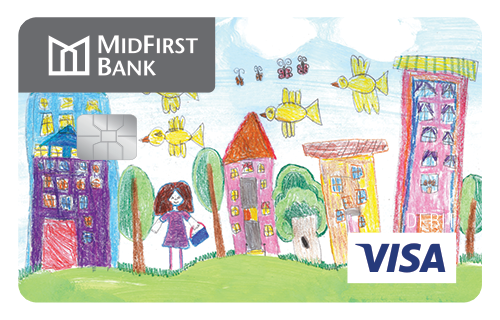
You are seeing product information for 43230
These cards may not be available in your area.
MidFirst Bank iDesign Visa® Debit Card
Carry around what matters to you.
Upload your favorite picture or choose an image from our extensive gallery for a one-time $5 fee* and enjoy a truly custom MidFirst Bank iDesign Visa® Debit Card.
- Build your own debit card design with your favorite photo or select an image from the MidFirst Bank image gallery
- Create your own Visa debit card with your photo for additional security
Personalizing your debit card is only a few clicks away. Please review the MidFirst iDesign process and checklist before getting started.
MidFirst iDesign Process
- Click your preferred card option
- Using the MidFirst iDesign debit card design tool, upload your favorite photo or image, or choose from the MidFirst Bank image gallery
- Confirm your existing account information (new customers: please allow one business day from account opening before submitting your iDesign request)
- Once your submitted image is approved and the card is produced, your primary checking account associated with the iDesign debit card will be charged $5 for the custom card
- Your new card will arrive in seven to 10 days
MidFirst iDesign Checklist
Please have this information available when you begin the process:
- MidFirst Bank checking account number
- Last four digits of your Social Security number
- The amount of your last deposit
Examples of iDesign Visa® Debit Cards